

Telecom Order Tracking & Log Analytics
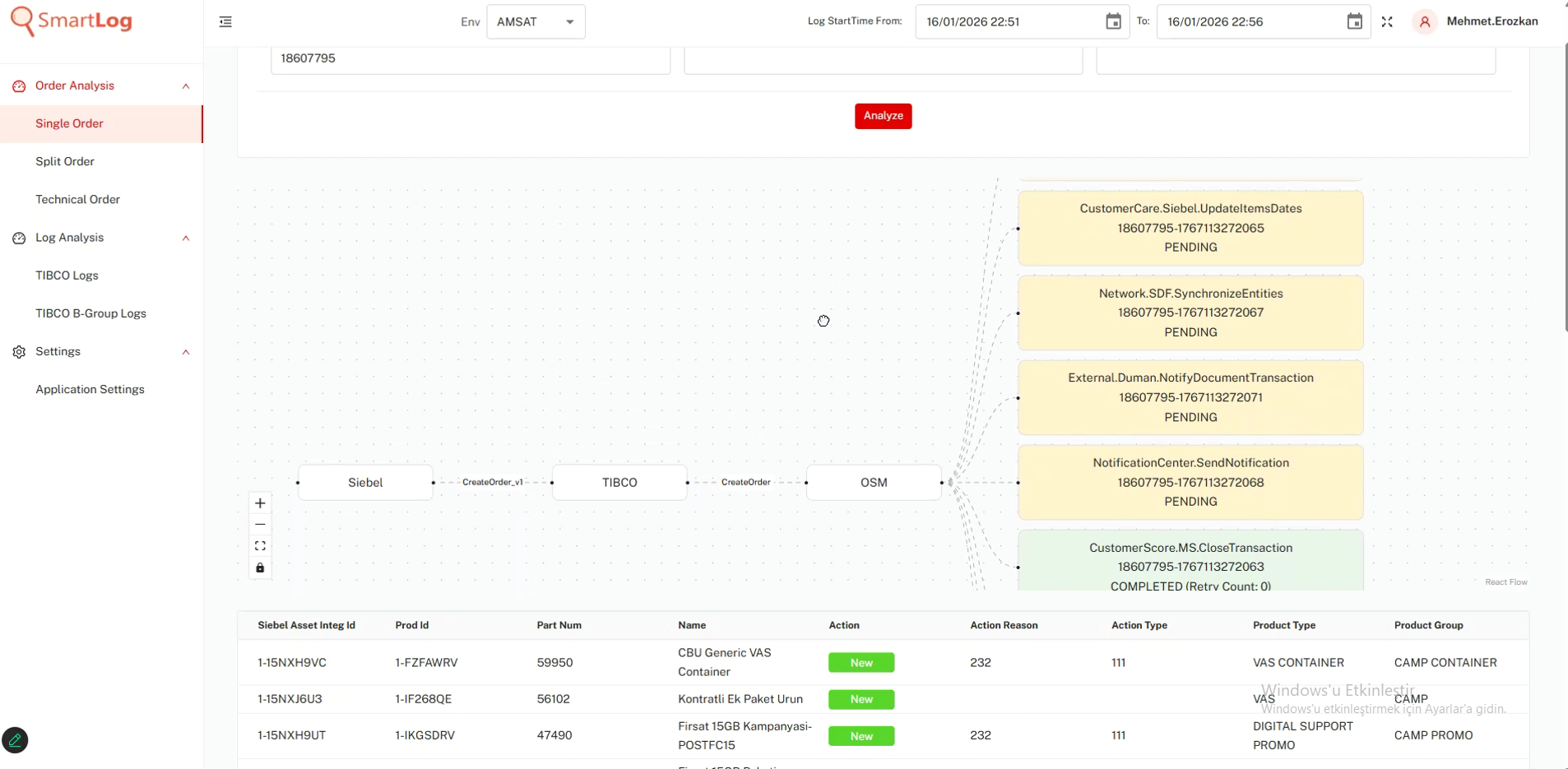
SmartLog is an enterprise order analysis suite built to visualize complex order component flows, pinpoint root causes across middleware layers, and perform instant TIBCO log inspection.
Easily Query Orders Across Middleware
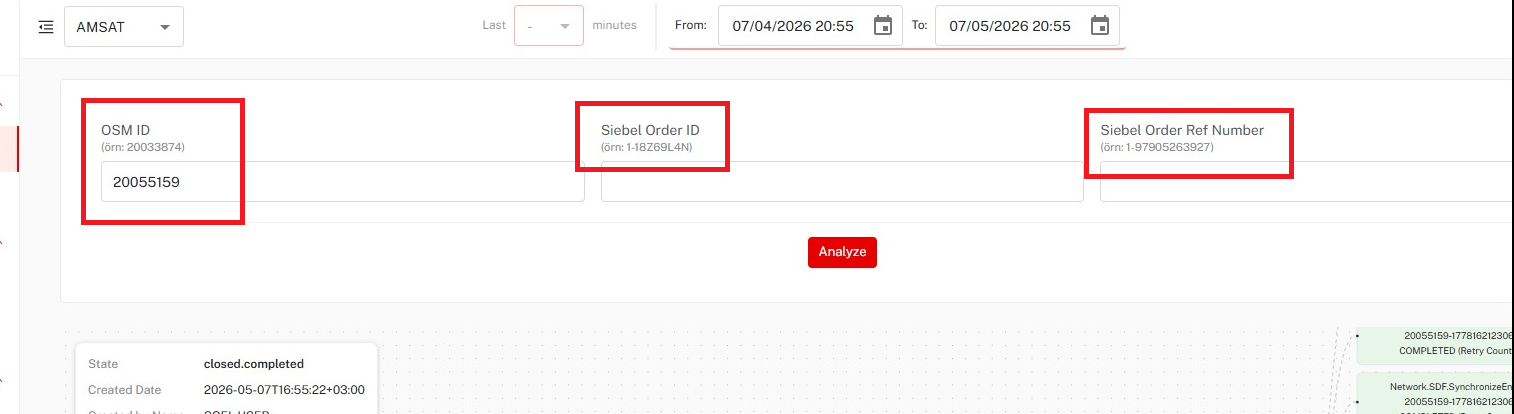
Instantly locate any order across order management systems using standard telecom identifiers. SmartLog unifies order searching into a single intuitive interface, preventing query ambiguities and streamlining your workflow.
- Multi-Identifier Search: Query by OSM Order ID, Siebel Order ID, or Reference Number
- Environment Switching: Toggle seamlessly across Production, Test, and Staging environments
- LDAP Security: Enterprise-grade authentication via directory accounts
Easily Visualize End-to-End Component Flows
Map end-to-end component execution paths in real time. SmartLog provides visual status clarity across tasks and lets you jump straight into execution logs with a single click.
- Color-Coded Status Tracking: Instant visual feedback (Green for Success, Yellow for Pending, Red for Failures)
- Direct Log Drill-Down: Click any component box or arrow to open corresponding TIBCO/OCI logs
- Status Monitoring: Real-time execution tracking across middleware steps
Easily Trace Order Origin & Metadata
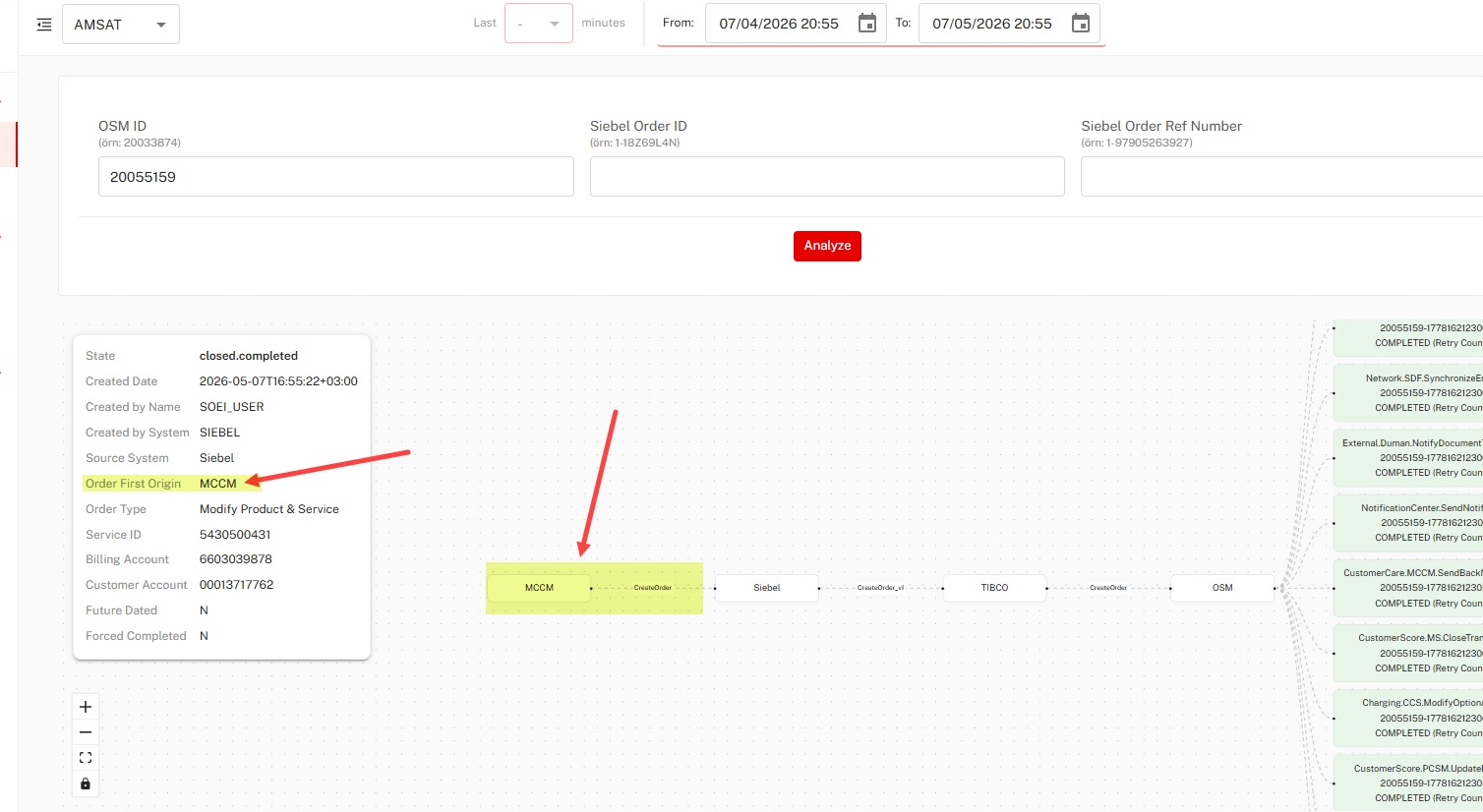
Rapidly identify initiating client applications and review complete order metadata. The Order Details Card gives immediate operational visibility into root origins and timestamps.
- Origin Tracking: Instantly trace initiating source systems and exact creation timestamps
- Metadata Breakdown: Inspect service IDs, billing accounts, and customer account details
- State Correlation: Correlate top-level order states with backend component execution
Easily Track Line-Item Assets & Actions
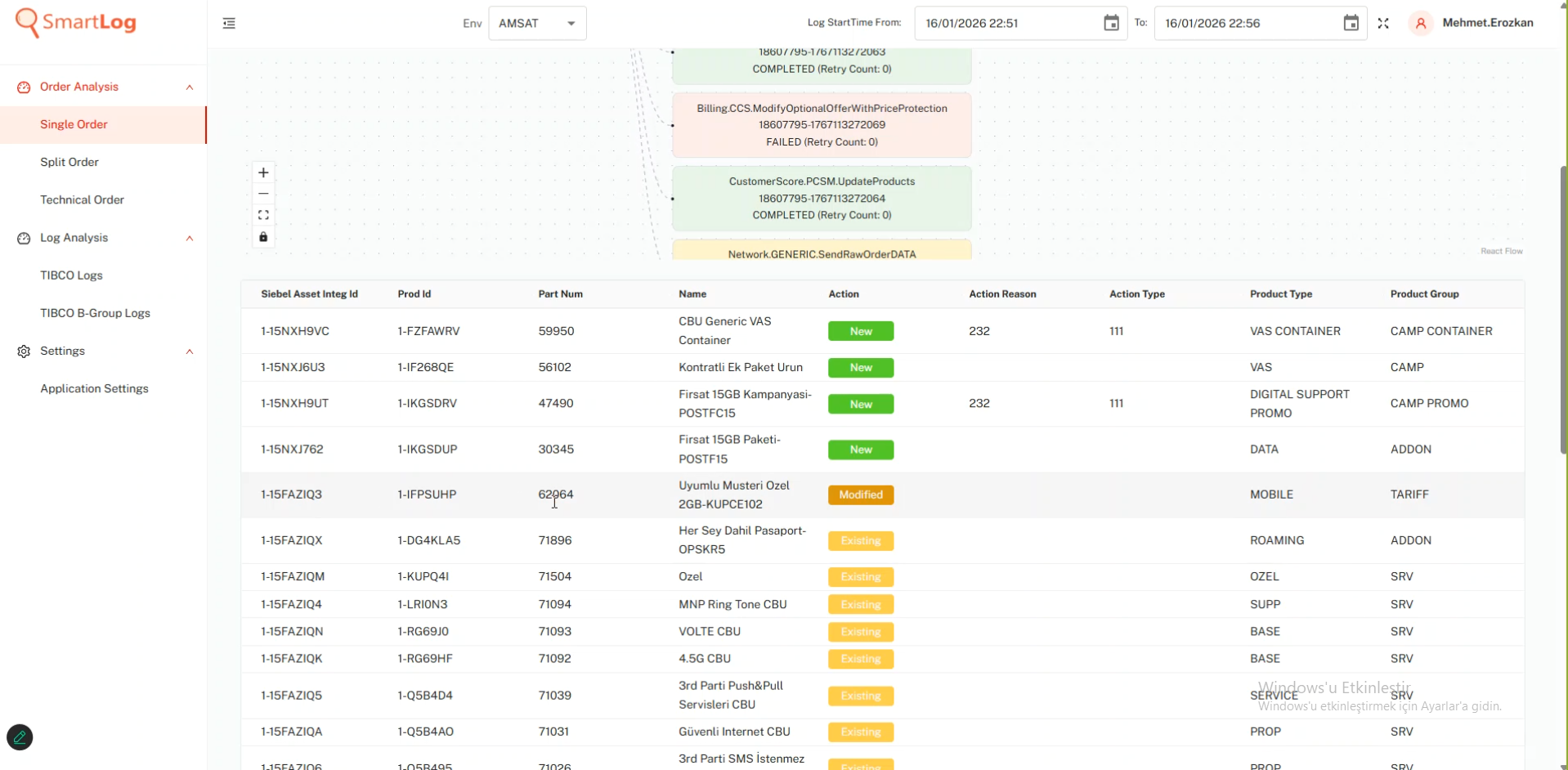
Inspect detailed line items linked to an order through structured asset tables, with intelligent noise-reduction filters to focus on key modifications.
- Attribute Clarity: Review Asset Integ ID, Product ID, Part Number, Name, and Action types
- Smart Noise Reduction: Use "Exclude Existing Items" to hide unchanged rows and isolate modified assets
- Action Tracking: Easily audit Add, Modify, and Delete operations on order items
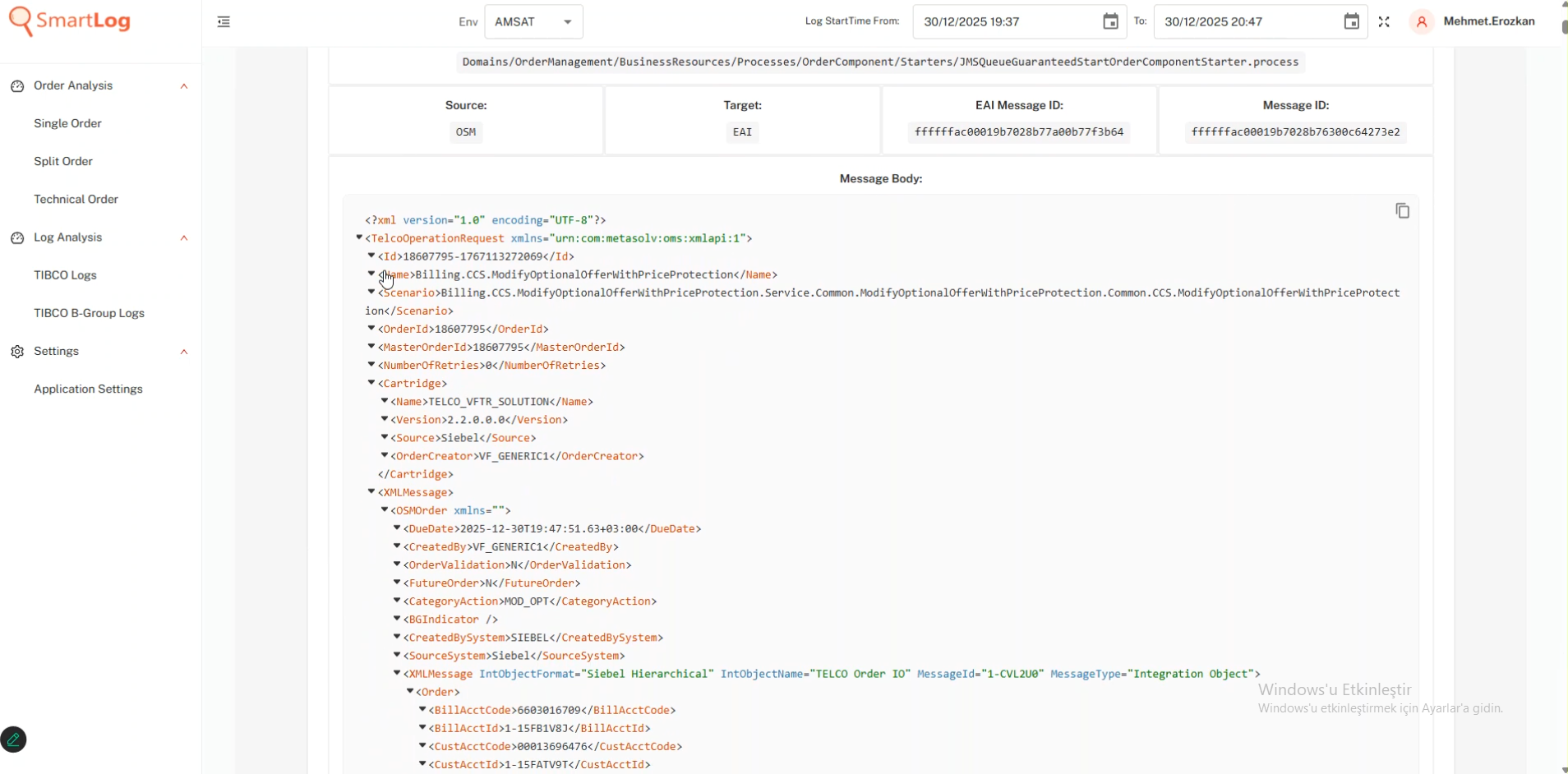
Easily Inspect & Filter Complex Logs
Examine Order Component Instance (OCI) and TIBCO logs with clean XML and JSON formatting. Built-in search operators allow support teams to quickly isolate critical log entries.
- Formatted Log Viewer: Structural indentation for complex XML and JSON payloads
- Powerful Operators: Flexible wildcard pattern matching (
*pattern*), exclusion filtering (!Value), andAND/ORlogic - Instant Log Search: Search log content by correlation ID, message ID, or time window
Easily Export Reports & Share Diagnostics
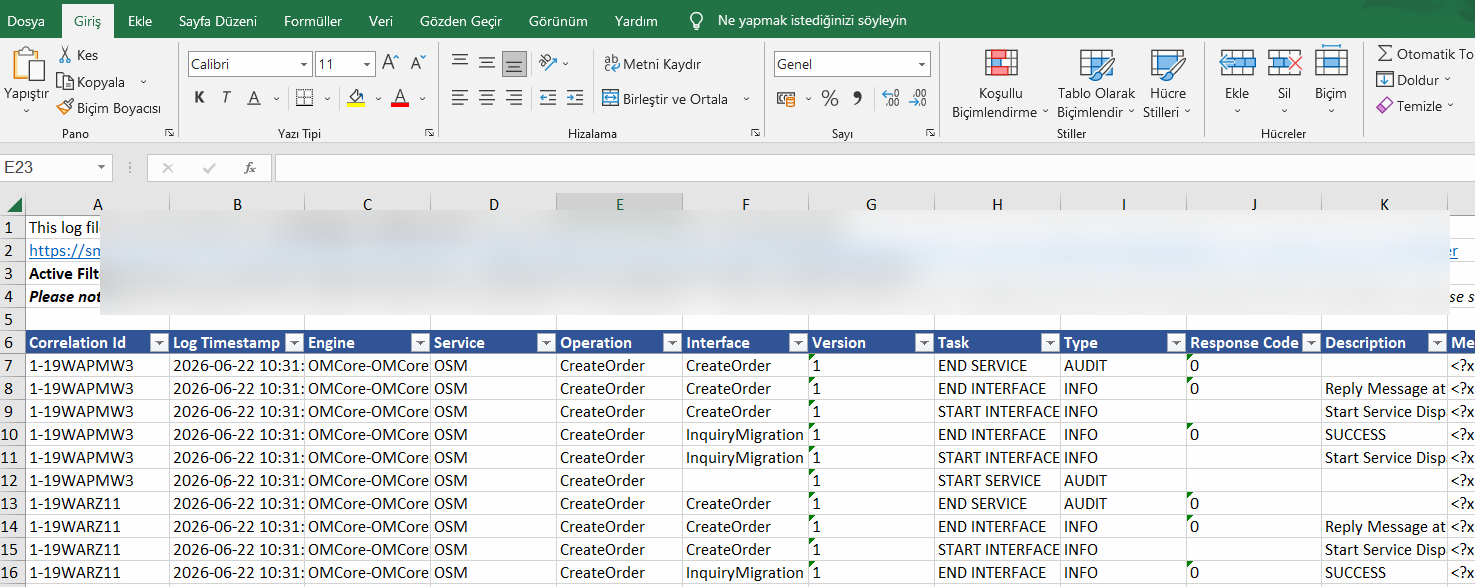
Empower team collaboration and simplify offline diagnostics with one-click report generation and deep-link sharing.
- One-Click Excel Export: Export filtered log records directly into
.xlsxspreadsheets with full message payload support - Stateful URL Sharing: Generate shareable links that restore exact environment settings, filters, and active queries for teammates